Key takeaways
Biometric and geofenced clock-ins cut buddy punching and wrong-location punches, giving you cleaner timesheets from the start.
Self-service mobile tools and AI-powered rostering put staff in control while matching your labour to real demand.
Built-in compliance support, seamless payroll integration, and real-time analytics help you reduce admin, control costs, and support compliance workflows relating to Australian workplace requirements.
If you run shift-based teams in Australia, you already know the pain: timesheets riddled with errors, buddy punching you can't prove, rosters that don't match demand, and hours lost every pay cycle chasing down missing clock-ins before payroll can run.

According to the Big Shift Report 2026, Gen Z now makes up 41% of Australia's shift workforce, and they expect mobile-first, self-service tools as standard. Meanwhile, businesses are shifting from a "hire to grow" mindset toward an "optimise to grow" approach, tightening rosters and leaning on automation to control labour costs.
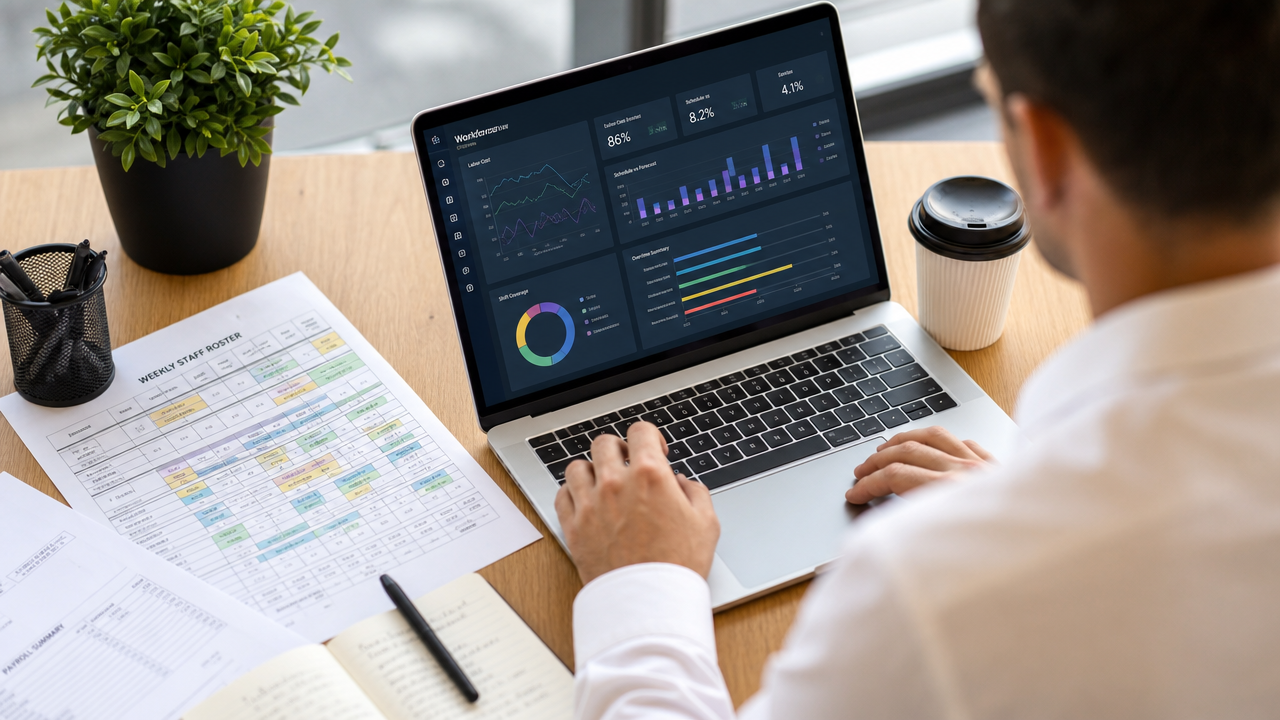
The right time and attendance system doesn't just track hours. It connects rostering, timesheets, compliance support, payroll, and analytics into one workflow that saves you real time every week. Here are eight features that make that happen.
Why your current system is costing you hours
If you're still using paper timesheets, basic spreadsheets, or a patchwork of disconnected tools, you're losing time in ways that aren't always obvious. Every manual timesheet correction, every payroll query from a confused team member, every roster rebuild because someone called in sick takes you away from the work that actually grows your business.
The Australian Bureau of Statistics reports that labour costs remain the single largest expense for most service-sector businesses. When your time and attendance system creates more admin than it solves, those costs compound. You pay for inaccurate timesheets through overpayments, underpayments, disputes, and the management time spent fixing them.
A modern time and attendance platform tackles these problems at the source. Instead of catching errors after the fact, it is designed to help reduce the likelihood of common attendance and payroll errors. Here's how each feature contributes to that.
Biometric clock-ins that eliminate buddy punching
Buddy punching costs Australian businesses thousands of dollars a year in inflated labour costs. When one team member clocks in for another, your timesheets don't reflect reality, and your payroll suffers for it. It's one of the most common employee time management issues facing Australian businesses.
Biometric clock-ins solve this by verifying identity at the point of clock-in. Facial recognition, voice recognition, and fingerprint scanning all confirm the person clocking in is actually the person rostered to work. No more guesswork, no more payroll confusion from missed or fraudulent punches.
The benefits go beyond stopping buddy punching:
Forgotten punch-ins drop significantly when the process is as simple as looking at a screen.
Payroll disputes decrease because timesheet data is tied to verified identity.
Managers spend less time investigating attendance discrepancies.
How biometric time clocks work in practice
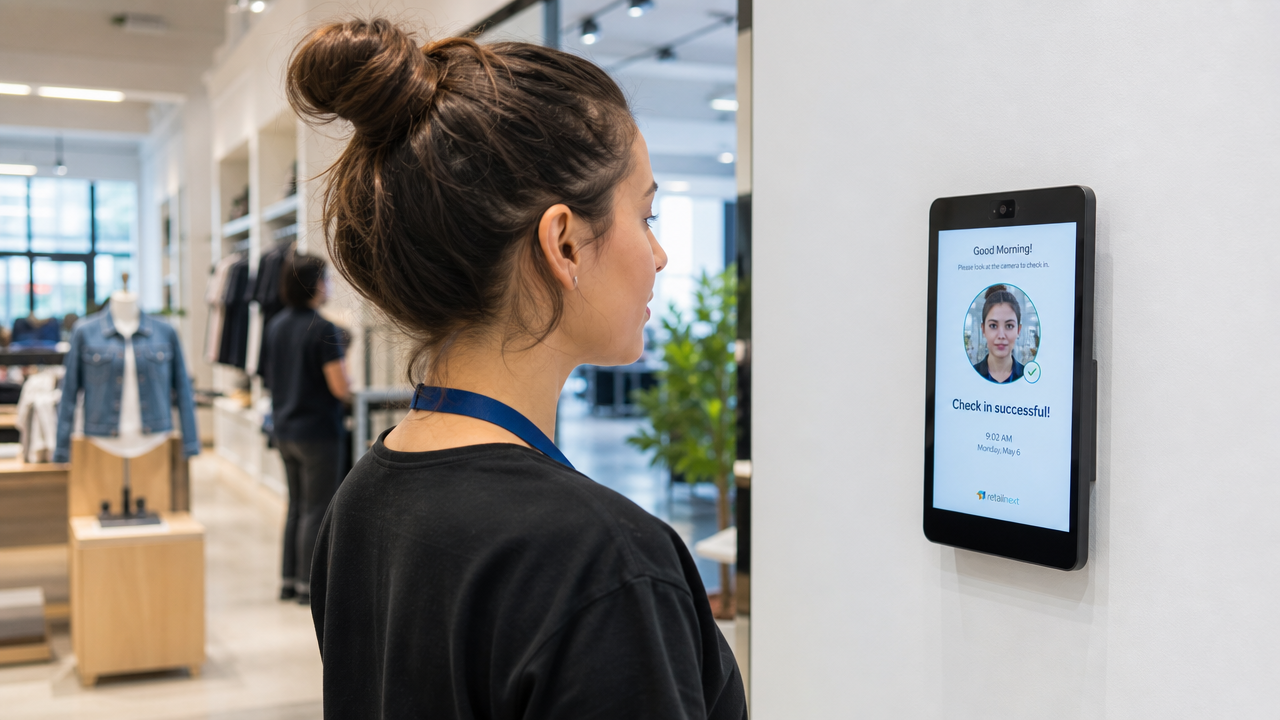
You set up a time clock at your worksite using a tablet or kiosk device. When a team member arrives for their shift, they verify their identity through the biometric method you've chosen. The system logs the exact time, ties it to the rostered shift, and feeds it straight into your timesheets.
Deputy's employee time clock supports facial recognition clock-ins, so your team can punch in and out in seconds. The data flows directly into timesheets, giving you accurate records without manual entry. For more on how biometrics are shaping the future of hourly work, check out our deep dive on the topic.
For teams worried about privacy, it's worth noting that biometric data collection in Australia falls under privacy legislation. You should inform your team about what data you collect, how it's stored, and how long it's retained. The Office of the Australian Information Commissioner (OAIC) provides guidance on handling biometric information responsibly.
Geofenced clock-ins for multi-location teams
If you manage staff across multiple sites, you've probably dealt with clock-ins from the wrong location. Someone forgets to switch sites in the app, or they punch in from home before they've actually arrived. Either way, your records don't match reality.
Geofencing draws a virtual boundary around each of your worksites. Team members can only clock in when their mobile device is physically within that boundary. If they try to punch in from outside the zone, the system blocks it.
This gives you:
Accurate location data for every clock-in and clock-out
Elimination of remote or early punches from outside the worksite
Cleaner timesheets across all your locations without manual checks
Setting up geofencing for your business
Getting started is straightforward. You define the GPS coordinates and radius for each of your work locations. Once the boundary is set, any team member using the mobile app will need to be physically present within that zone to clock in or out. You can set different boundary sizes for different sites, so a large warehouse can have a wider zone than a small cafe.
Deputy's geofencing feature lets you configure these boundaries per location. Combined with biometric verification, it creates a two-layer system that keeps your attendance data honest across every site you manage.
Self-service tools that put staff in control
Micromanagement kills morale. When your team has to call, text, or track down a manager for every shift swap, leave request, or roster check, it creates friction that drains everyone's time.
Self-service tools hand that control back to your staff. With a mobile app, team members can:
Clock in and out from their phone
View their upcoming roster and shift details
Request shift swaps or pick up open shifts
Submit leave requests directly
Review and approve their own timesheets
The result is less back-and-forth for managers, faster responses for staff, and a team that feels trusted and empowered.
Why employee autonomy drives retention
The Big Shift Report 2026 found that Gen Z now represents 41% of Australian shift workers. This generation expects mobile-first experiences and the ability to manage their work life from their phone. If your systems don't offer that, you risk losing talent to businesses that do.
Giving staff autonomy over their rosters and timesheets isn't just convenient. It's a retention strategy. When people feel they have a say in their work life, they stay longer and perform better.
Deputy's mobile app gives your team access to clock-ins, rosters, shift swaps, and timesheets from anywhere. It's the kind of tool that meets your workforce where they already are: on their phones.
AI-powered rostering that matches demand to staff
Building a roster manually means juggling availability, skill sets, labour costs, and demand patterns all at once. It's time-consuming, and even experienced managers get it wrong. Overstaffing wastes money. Understaffing burns out your team and frustrates customers.
AI-powered rostering helps managers make more informed staffing decisions by analysing historical data, employee availability, and demand patterns to generate draft rosters using workforce and demand data for manager review. It considers factors a human might miss or simply not have time to weigh up, like seasonal trends, day-of-week patterns, and individual employee preferences.
The practical impact is significant:
Fewer missed shifts because the system flags coverage gaps before they happen.
Reduced human error in complex multi-location rosters
Better alignment between your staffing levels and actual customer demand
How AI forecasting reduces overstaffing and understaffing
AI doesn't just look at last week's numbers. It spots patterns across months and years of data, identifying trends that would take a manager hours to uncover manually. If Saturdays in November are consistently your busiest, the system learns that and recommends staffing levels accordingly.
The Big Shift Report 2026 found that Australian shift workers generally report positive sentiment toward AI, associating it with improvements in job ease and work-life balance. That's good news for managers looking to adopt AI-powered tools without pushback from the team.
Deputy's smart scheduling uses AI to generate rosters that account for demand, availability, and labour costs. You can learn more about how this transforms shift-based businesses in this practical guide to smart rostering.