Managing leave in a shift-based business is one of those jobs that never quite sits with one person. Managers and supervisors are approving requests and checking who's on the schedule.
Payroll needs to know the balances are right before the next pay run. HR needs to know the policies are being applied consistently and that the records will hold up if they're ever questioned. And in between all of that, overtime hours owed back as time off get tracked in a spreadsheet, sick notes end up in email threads, and nobody's quite sure whose balance is current.
Leave Management+, available in Deputy Pro and the Deputy HR add-on, is Deputy's advanced leave feature set, built to take that weight off the people who carry it. It connects leave to the schedule your team already works from so balances stay right, coverage stays intact, and the admin that used to fall through the cracks runs automatically.
New leave management features are rolling out now. Here's what's available and what it means for your team.
Deputy Core: leave calculations that keep up with how your team actually works
For teams on hourly and casual schedules, leave calculations are only useful if they reflect what's actually happening on the floor. When accruals run separately from hours worked, balances drift. Someone takes PTO, and payroll is working from a number that hasn't caught up. A casual employee works a holiday weekend and nobody's sure what rate applies or what they're owed.
Deputy Core now includes automated leave accruals that calculate from fixed periods, hours worked, and overtime, plus custom public holiday rates so entitlements reflect the right pay for the right day. Everything updates as hours are logged, not after payroll finalizes.
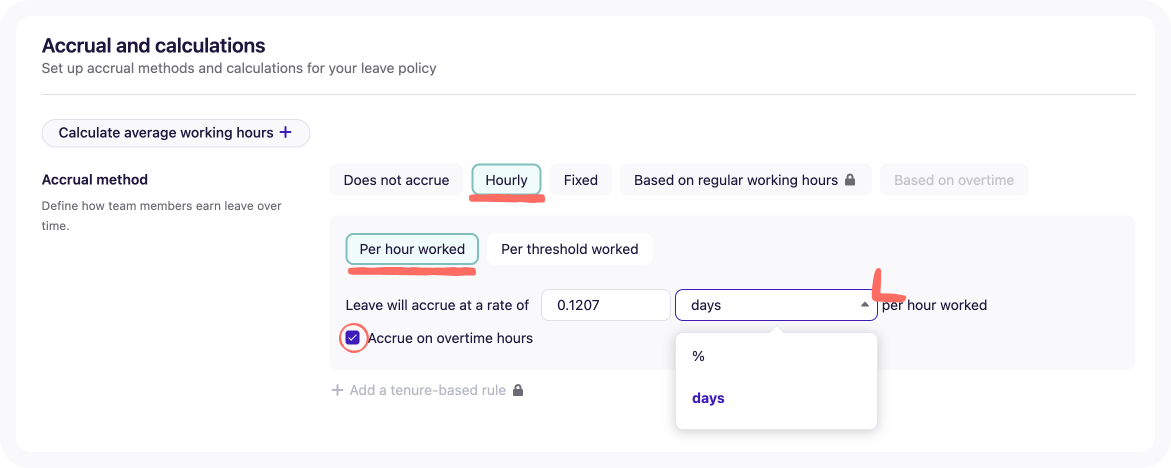
Learn how automated leave accruals works here.
Overtime hours that bank themselves
Your team covers a busy holiday weekend. Five people work extra hours. Each of them is owed time back. And now you're fielding messages asking how much they've got, cross-referencing a spreadsheet that's two weeks out of date, and trying to remember which shifts counted.
Time off in lieu^ now works automatically in Deputy Core and Pro. When extra hours are worked, the balance builds. When leave is taken, it updates. Your team can see what they've earned in their app. You can see what's been spent without chasing anyone. No spreadsheet. No back-and-forth.
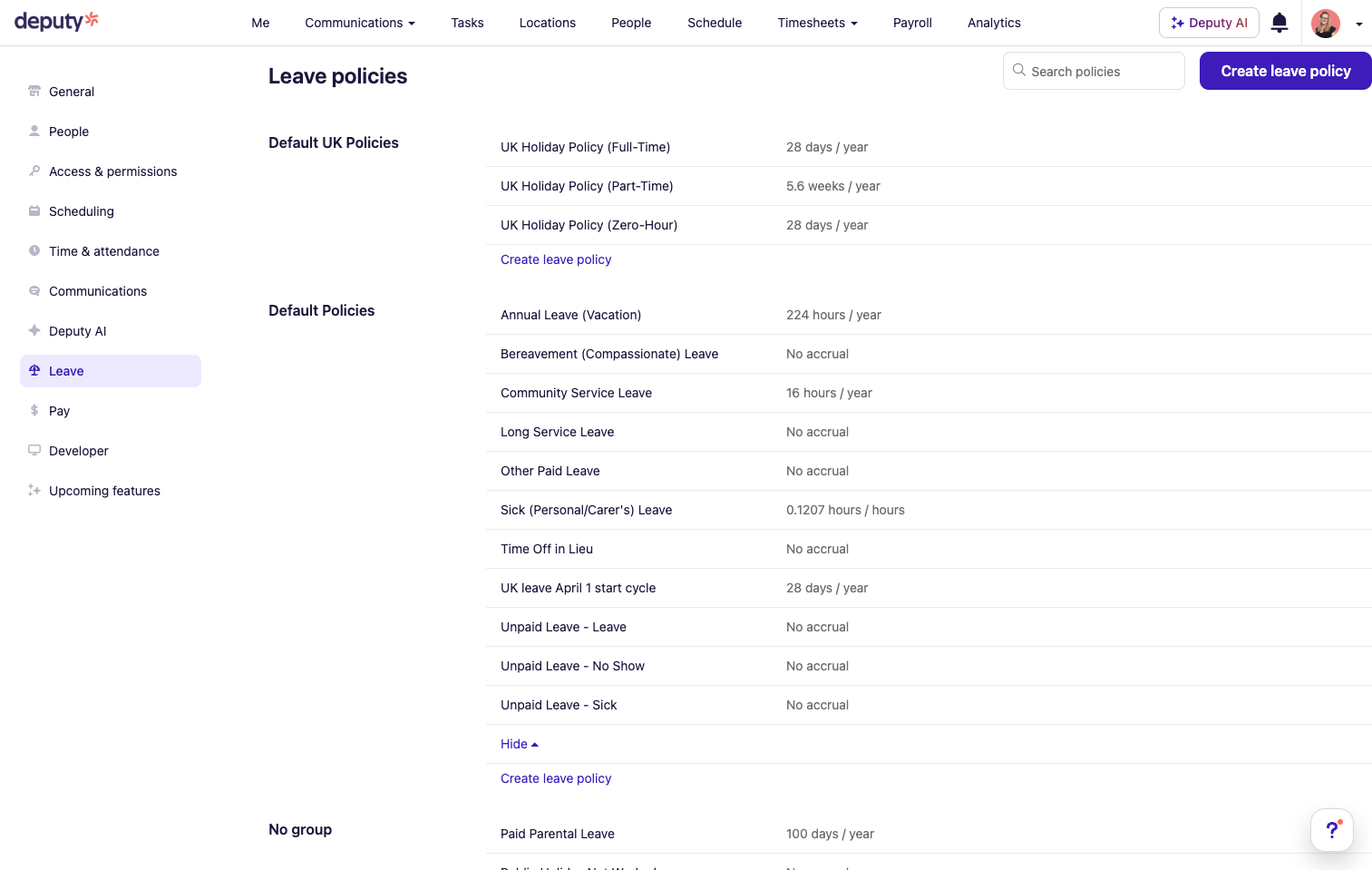
Learn how time off in lieu works in Deputy here.
Deputy Pro: the controls that matter when your operation gets more complex
As teams grow across sites and schedules, the leave problems get harder to manage from a single inbox. A manager approves leave without knowing another site is already short that week. Someone's contracted hours change and their balance stays wrong until someone notices. Sick notes end up scattered across email threads. And without a clear view of balances rolling over or resetting, year-end becomes a reconciliation exercise nobody has time for.
Leave Management+, including new features, is now available on Deputy Pro, bringing everything in Core plus the controls built for more complex operations.
Leave Management+: new features available in Deputy Pro and Deputy HR
Coverage limits that hold on every approval
You can now set a cap on how many people can be off at the same time, per team or per location. Deputy enforces it on every approval. If a request would push the team over the limit, it's flagged before anyone says yes. Your schedule stays coverable, even when approvals happen across different managers and sites.
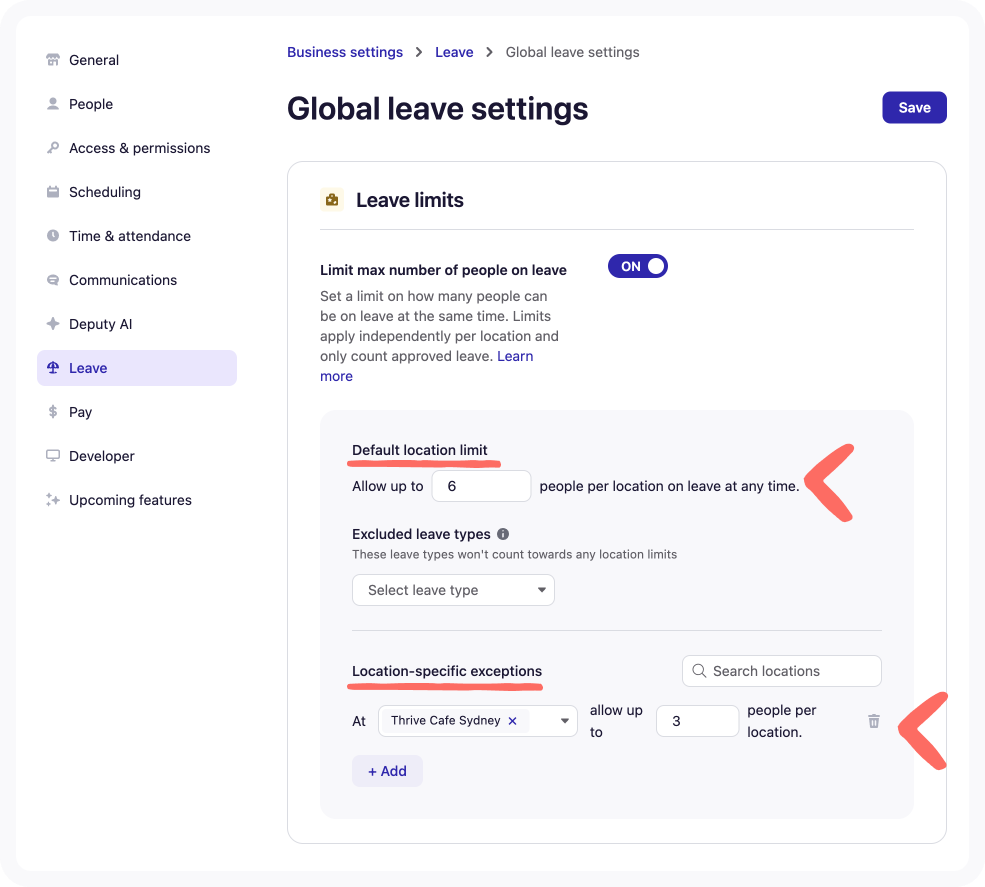
Learn how to set your coverage cap here.
Leave balances that recalculate when contracted hours change
When agreed hours change in Deputy, the leave balance recalculates automatically. Every adjustment is written to the audit log, what changed, when, and why, so there's always a clear record if you need it. The maths happens in the background. You just confirm the hours change and move on.
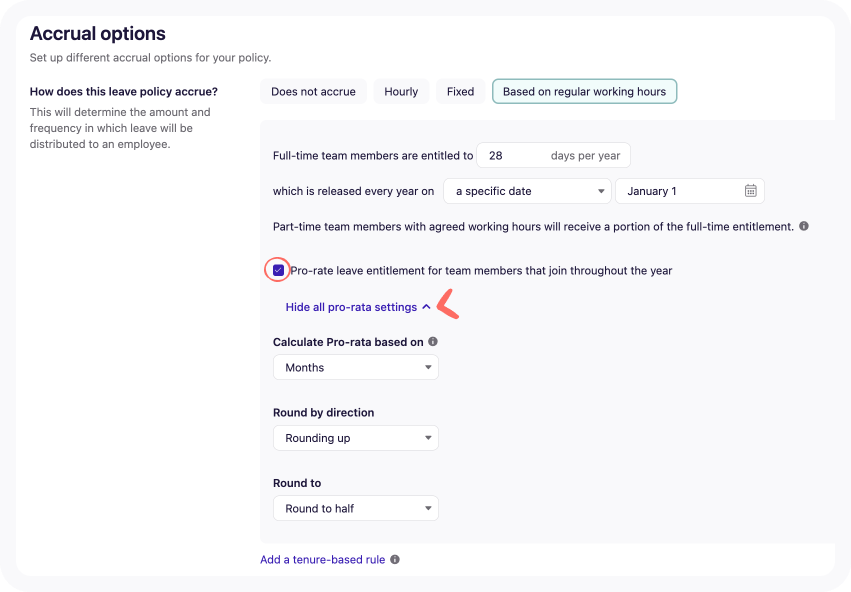
Learn how pro-rated leave balances work here.
Sick notes and forms attached to the leave, not lost in an inbox
You can now attach sick notes and return-to-work forms directly to the leave request in Deputy. They're stored against the employee record, right next to the leave itself. No more hunting. No more forwarding. The record is complete from the first day of absence.
Learn how to attach sickness documentation here.
Leave that works in the background so you don't have to
The people who manage leave in a shift-based business shouldn't have to carry leave manually. Overtime hours owed back should build without a spreadsheet. Balances should update when contracted hours change. Absence records should live where the leave does. Coverage limits should hold without a manager counting heads before every approval.
Because Leave Management+ runs in the same system as your schedule, leave is connected, not in a separate tool that has to catch up with what's actually happening on the floor.
How to access Leave Management+
Already on Deputy Pro or Deputy HR? These features are live in your account now. Head to your leave settings to set it up.
Not yet on Pro or Deputy HR? Try Deputy HR free for 30 days. You'll get Leave Management+ plus hiring, onboarding, document management, and performance tools all in the same place as your rota.