Manage leave with confidence, straight from your schedule
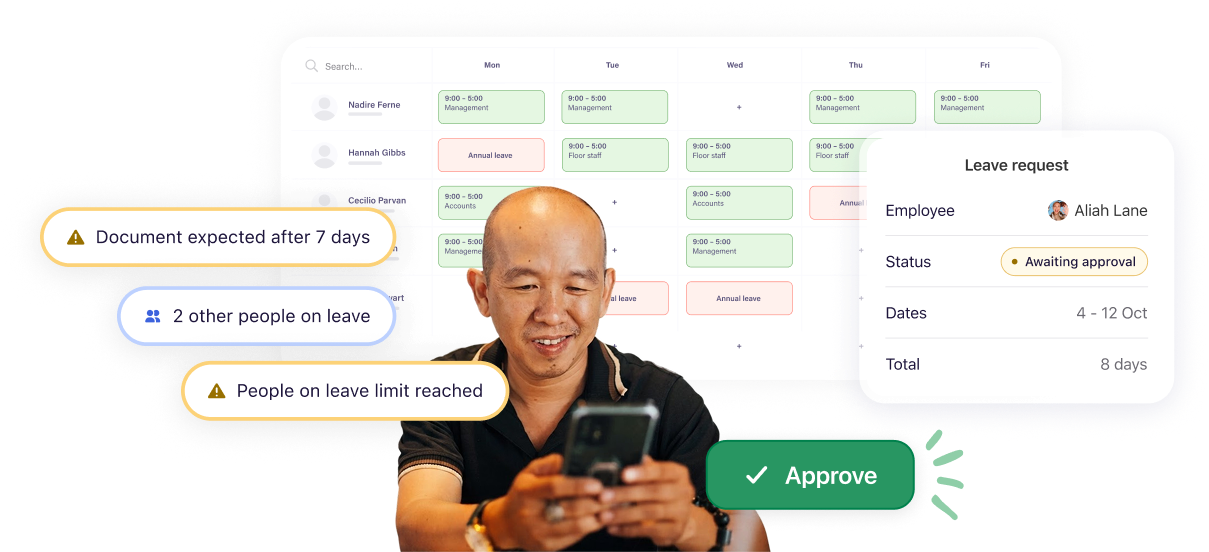
Keep leave where your team is already scheduled. See who’s off before you approve, keep balances current, and manage it all without switching tools.
AMERICA'S LEADING SCHEDULING SOFTWARE






Leave shouldn’t be another system to manage
When leave lives in a separate tool, things go wrong. Deputy keeps it where it belongs - alongside the shifts and hours it affects

Every balance, accounted for
Build leave from the hours your team actually works, so balances stay current. Handle fixed allowances and hourly accruals, with absence patterns easier to spot

Every yes made with staffing in view
With the schedule visible at the moment you approve, you control leave booking windows and set team absence caps to be enforced automatically

Policies that run themselves
Set once, applied to everyone. Tenure rewards loyalty without anyone tracking anniversaries, and year-end runs to the rules you set
REQUESTS AND APPROVALS
Leave sorted, without the back-and-forth
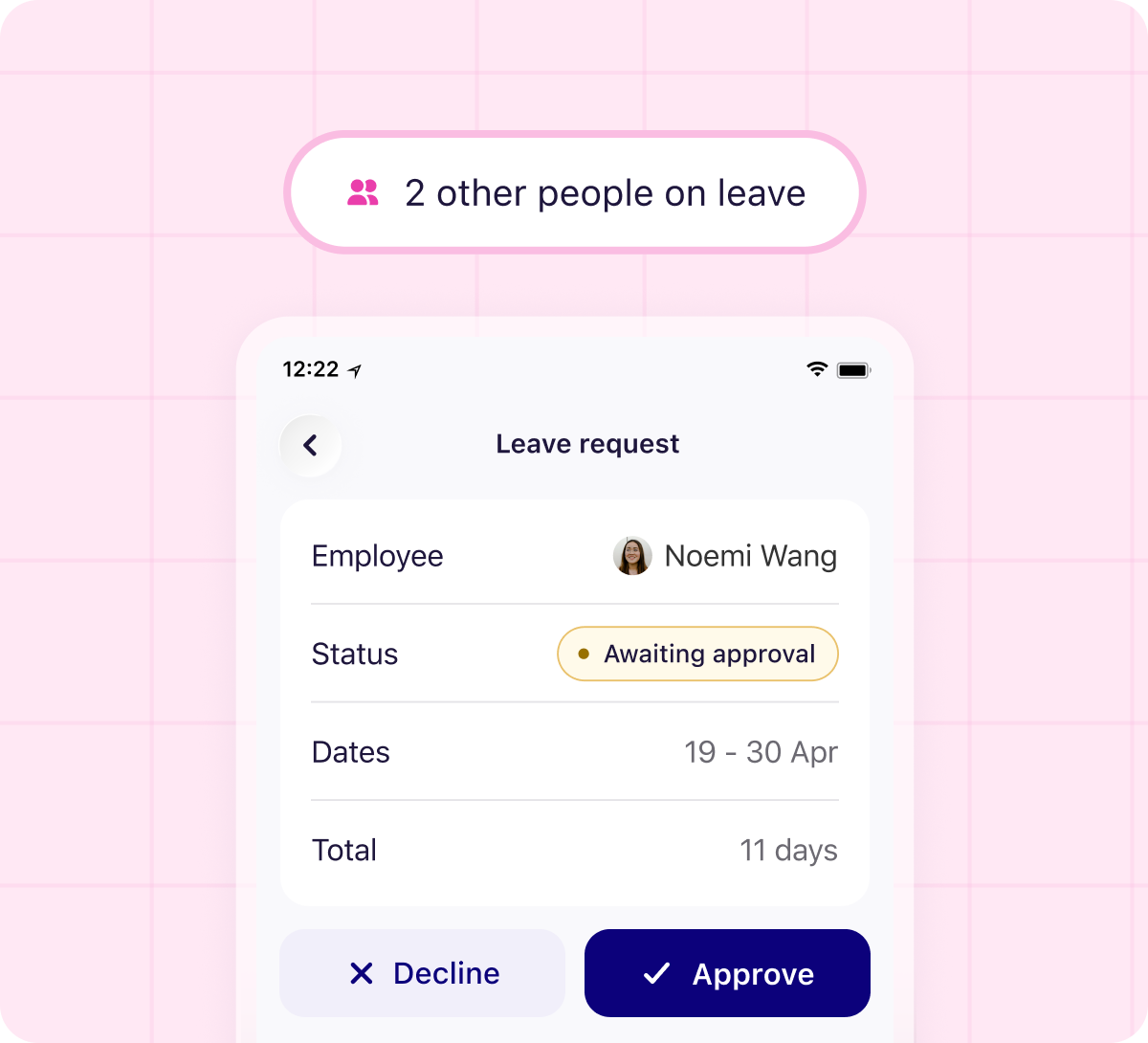
Your team requests leave from their phone. You approve from wherever you are, with the schedule right in front of you. Track leave in hours or days, mark it paid or unpaid, and adjust any balance on the spot. Every request leaves a trail. No lost messages, no missed approvals, no blind spots when you're building the schedule.
AUTOMATIC ACCRUALS
Leave balances that build themselves
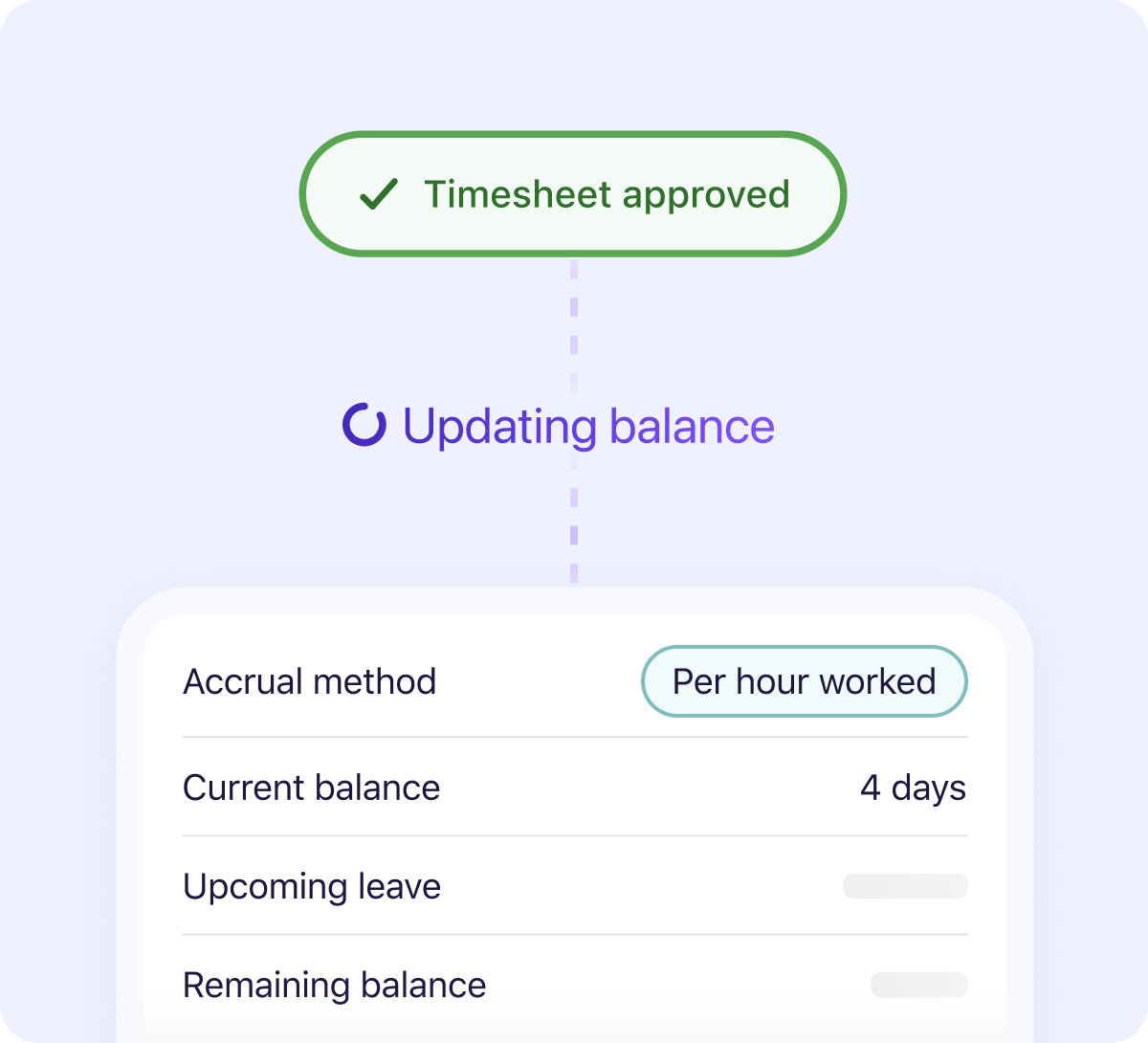
Stop working out leave by hand. Deputy automatically builds balances by fixed period, hours worked or overtime, and deducts leave as it’s taken. So balances stay current, without the calculations and manual updates.
ACCRUAL RULES
Policies built around your business
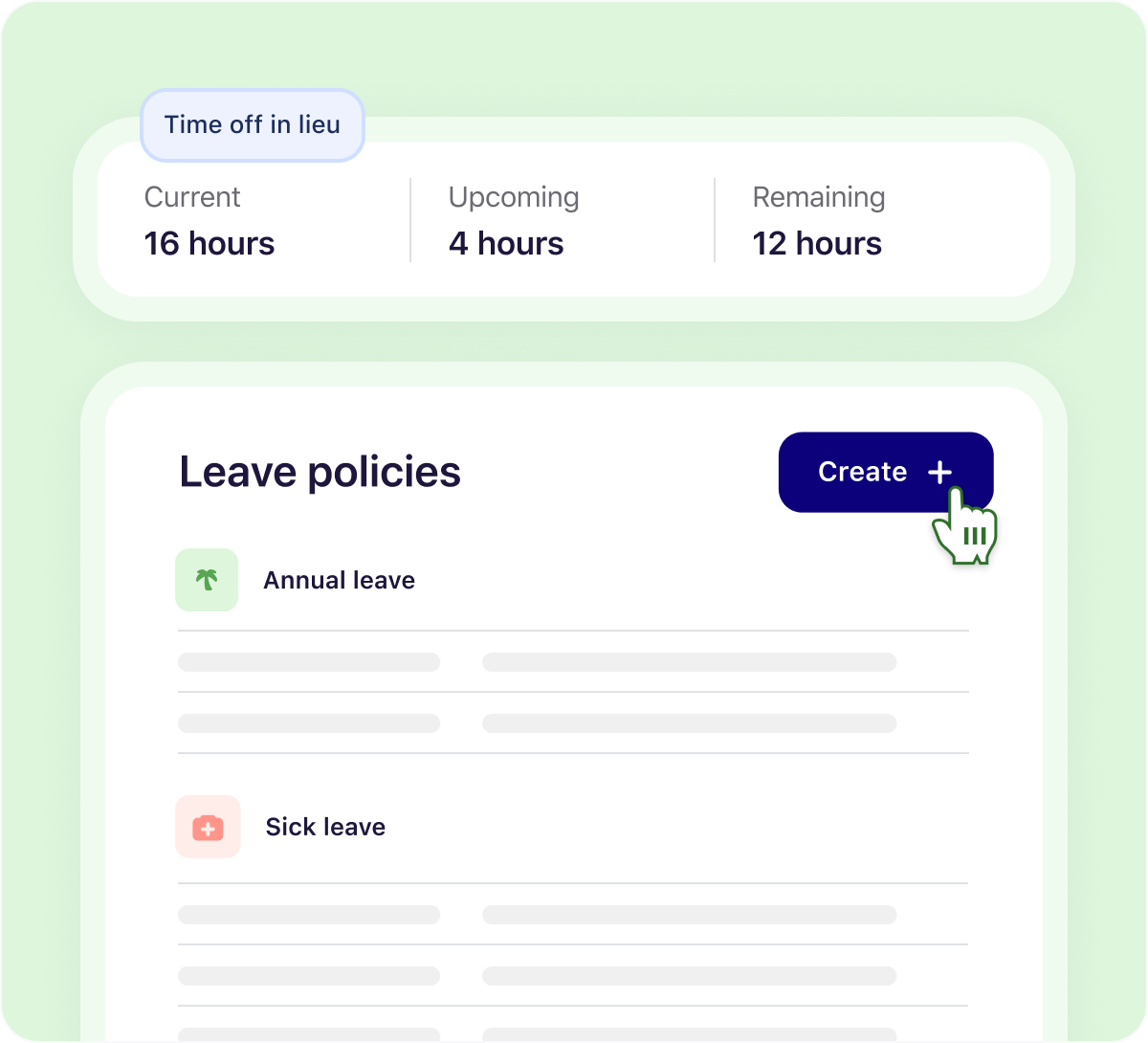
Build and name your own leave policies, group them by team, and assign them in bulk. Set custom public holiday rates and let your team earn, bank, and take time off in lieu. Your rules stay consistent without managers having to apply them person by person.
Running a multi-site team with complex
contracts or changing agreed hours?
That's where Leave Management+ takes over. You set the rules, the limits, the cover, the exceptions. Deputy applies them automatically in the schedule you already run.
Available with Deputy Pro or the Deputy HR add-on.
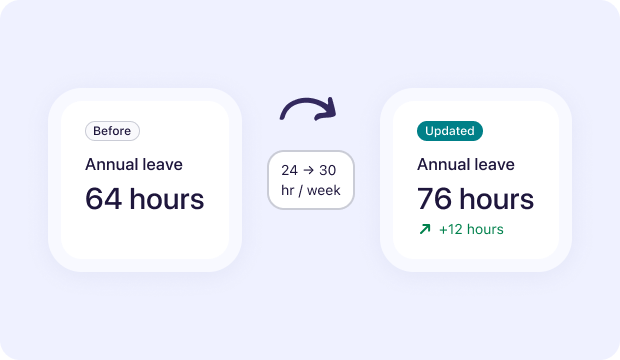
Leave that adjusts as your team does
When agreed hours change, Deputy automatically pro-rates the leave balance from the date of change. Balances keep building correctly while someone’s away, so leave stays current without you recalculating it by hand.
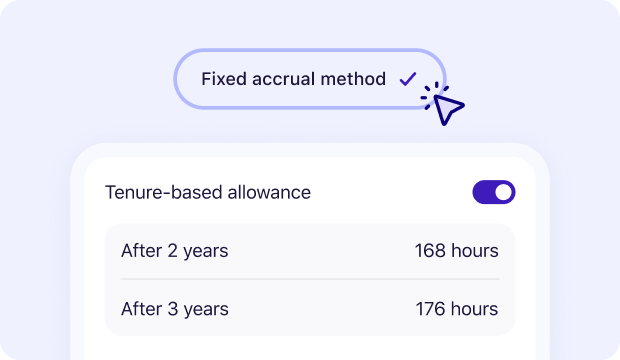
Rules that keep up with your team
Set how leave grows with length of service, when new starters become eligible for leave, and how far ahead people can book. As your team changes, the right rules kick in at the right time without someone tracking dates and milestones.
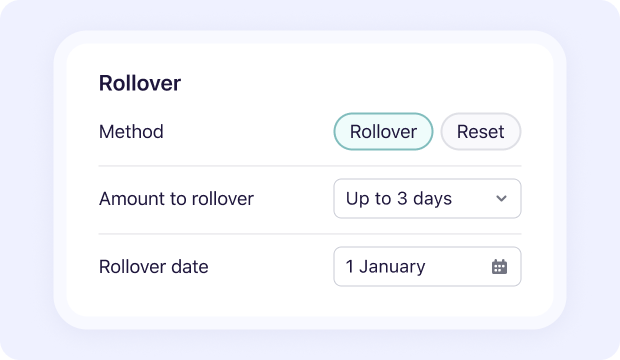
Put guardrails around leave balances
Decide what happens to unused leave and how much can build up. Set your rollover, reset, expiry and balance caps once, and Deputy applies them automatically so there’s no year-end spreadsheet or manual reset run.
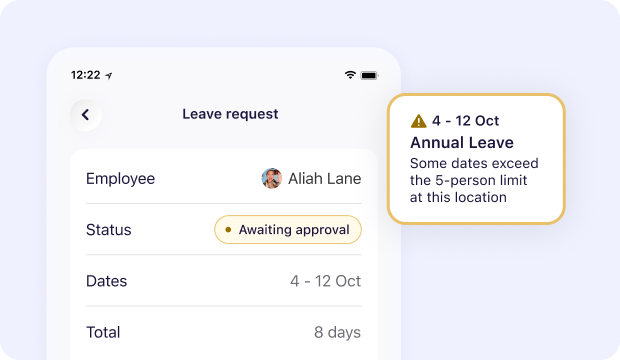
Never approve your way into a short shift
Set how many people can be off at once, by team or location. Deputy holds your coverage line on every approval, so managers can say yes without accidentally leaving a shift short.
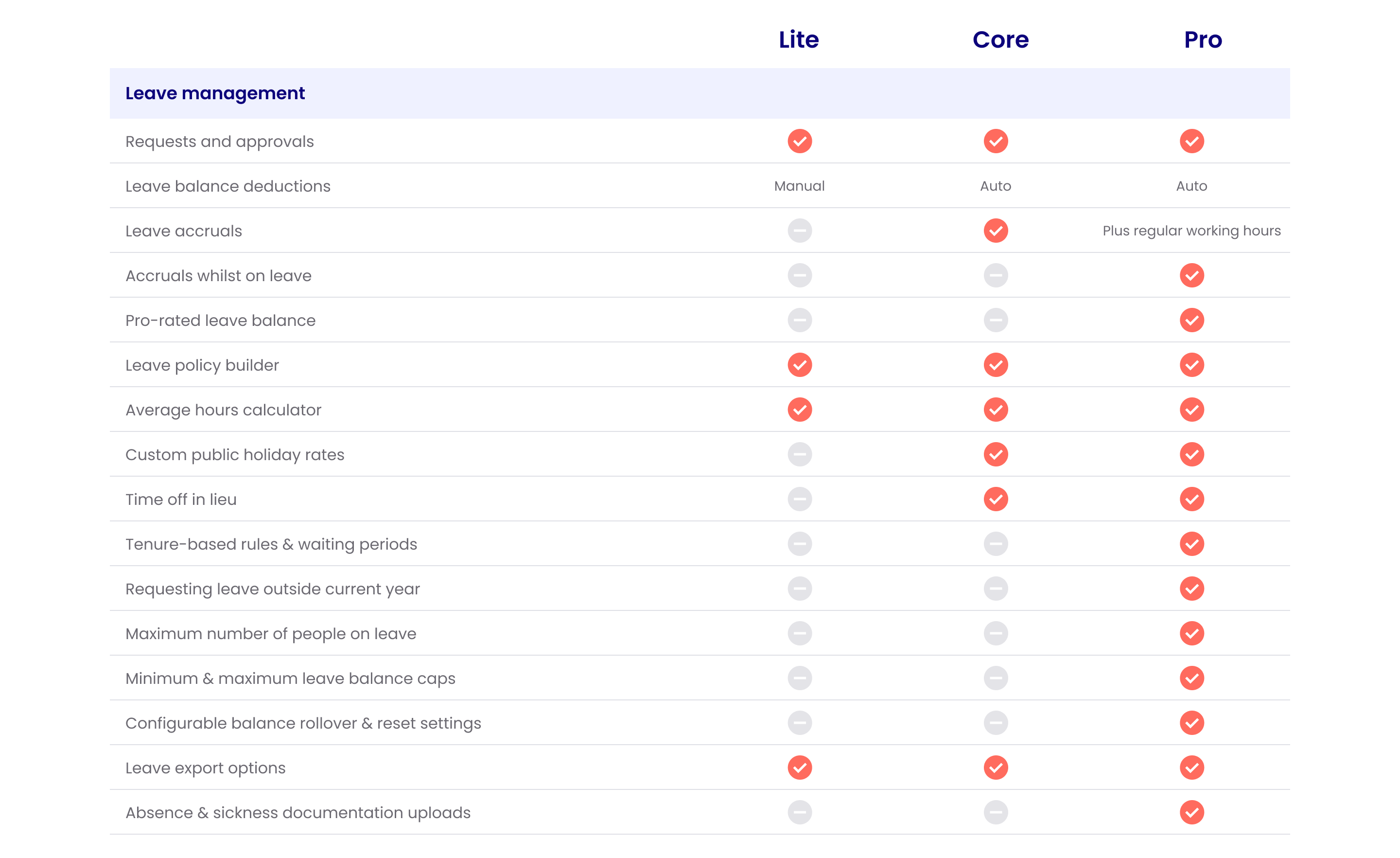
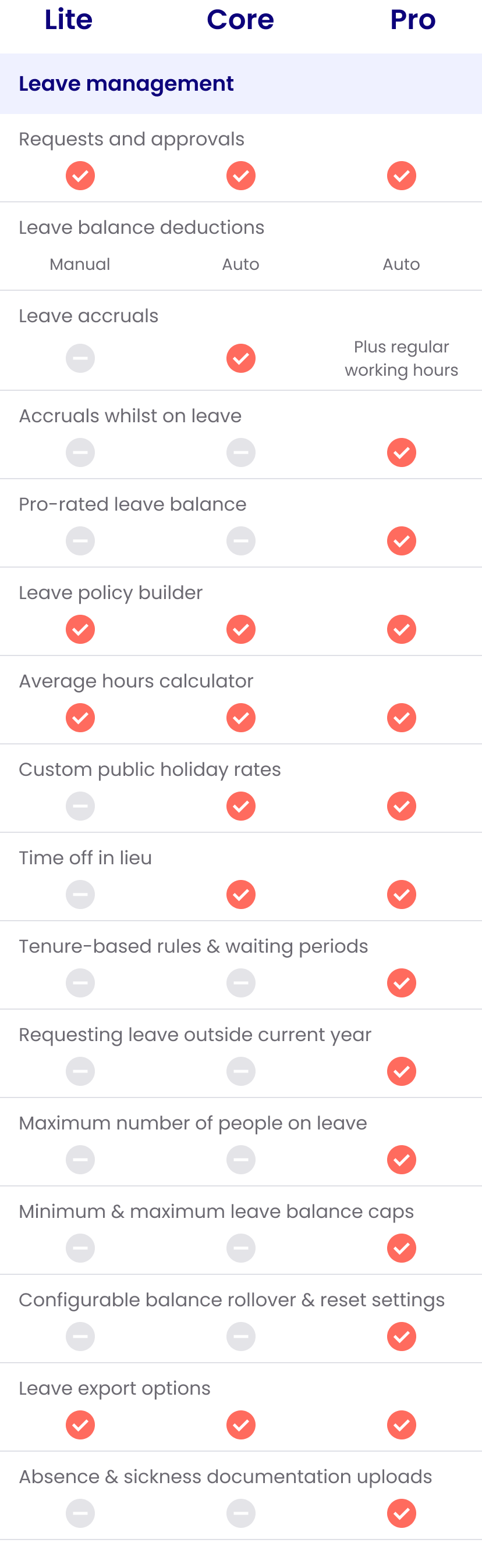
What's included in your plan
Every Deputy plan includes leave tracking. Here's how the capability grows.
Need more than leave management?
Meet Deputy HR
Get advanced leave management alongside the tools you need to hire, onboard, manage and grow your team.
HR
Attract and track new hires, run paperless onboarding, securely manage documents and leave, gather team feedback, support shift performance and turn team data into useful insights — all in Deputy HR.
Try FREE for 30 days. Available on all plans in the US, UK & Australia.
Learn more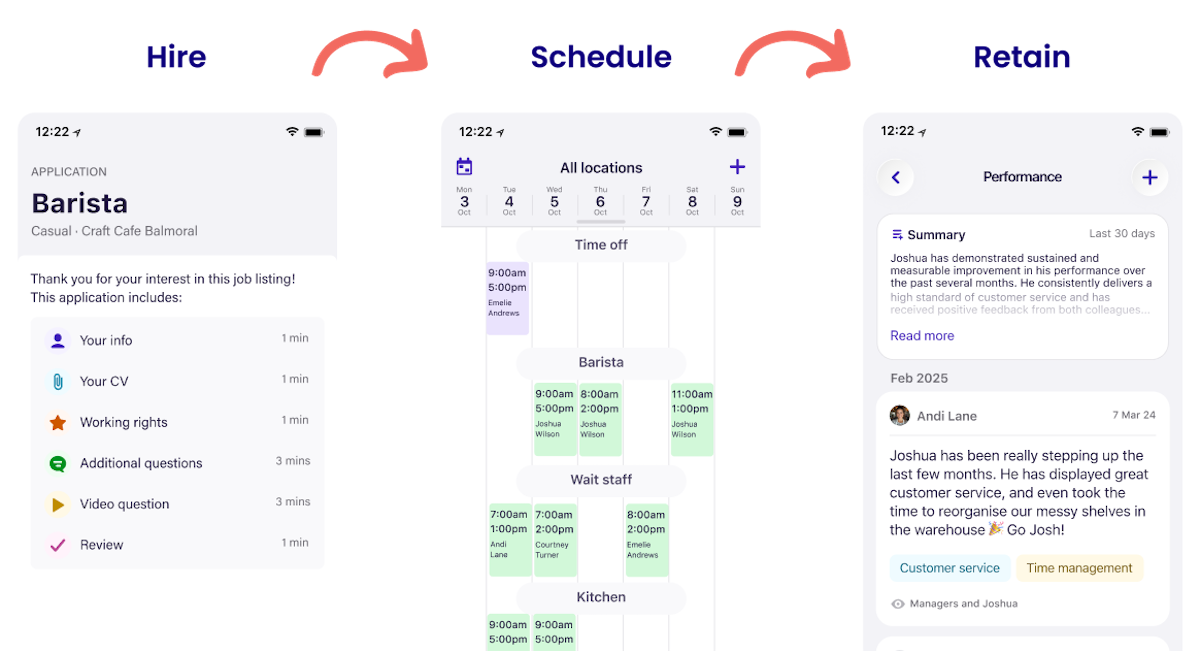
Get the complete platform
Run your shifts and HR on one platform.
Whether you’re tracking time, hiring and onboarding new staff, booking leave, or managing performance, run your team without having to connect the dots.
TRUSTED BY 390,000+ WORKPLACES ACROSS THE GLOBE






Ready to get leave out of the spreadsheet?
Start your free trial or book a demo below
More Deputy Leave Management resources


Frequently asked questions
- What is Leave Management?
Leave management covers how a business handles planned and unplanned time off, from holiday requests and approvals to entitlement tracking, accrual calculations, and absence records. For shift-based businesses, it also means making sure leave decisions don't leave a shift short. Leave management software makes all of that simpler to run consistently across teams and sites.
- What is Leave Management+?
Leave Management+ is the advanced leave control tier in Deputy. It covers regular working hours accruals, pro-rated balances when agreed hours change mid-year, accruals that keep building while someone is on leave, tenure-based rules and waiting periods, coverage caps, absence documentation, configurable balance rollover and reset, and balance caps. It's included with Deputy Pro and the Deputy HR add-on.
- What is absence management?
Absence management usually refers to how a business handles unplanned employee absences, which could be due to sickness, injury, or emergencies. To manage these effectively, a business needs a straightforward system and policies that are understood by both managers and employees.
- What is leave management software?
Leave management software handles the admin that comes with employee time off (e.g. PTO requests, approvals, balance tracking, accrual calculations, and absence records) so your team isn't managing it across emails, spreadsheets, and scraps of paper. It gives managers a clear view of who's off and when, and helps businesses stay on top of their leave obligations without the manual legwork.
- What types of leave can I manage in Deputy?
Deputy comes pre-loaded with the most common leave types, but you can create your own to match your business. Set up a casual accrual policy at one hour for every 30 hours worked, create a paid company day for a team anniversary, or add a specific policy for sickness, parental leave, or anything else your business needs. If you need it, you can build it.
- Can I set different leave accrual rates?
Absolutely. Once you set up a leave type, you can customise the accrual rate to suit your needs and Deputy handles the calculations automatically. Core and Pro plans support automated accruals by fixed period, hours worked, and overtime. Leave Management+ in Pro and Deputy HR adds regular working hours accruals for staff on agreed patterns.
- Can employees set regular days they are not available?
Yes. Team members can log their unavailability in Deputy from any device - desktop, smartphone, or tablet. When managers build the schedule, Deputy shows clearly who is and isn't available, so shifts can be filled around it.
- Can managers automatically block leave requests for important dates?
Yes. In Deputy, you can block leave requests for specific dates. This is useful for busy periods when you need all hands on deck. With Leave Management+, you can also control how far ahead staff can book leave for the current and next leave year. Available with Deputy Pro or the Deputy HR add-on.
- Can Deputy hold my coverage line when leave is approved?
With Leave Management+, you set the maximum number of people who can be off at once per team or location. Deputy enforces that cap on every approval so no approval can quietly leave a shift short. Available with Deputy Pro or the Deputy HR add-on.
- What happens to leave balances when someone's contracted hours change?
With Leave Management+, Deputy automatically recalculates the leave balance when someone's agreed hours change mid-year. You don't need to adjust it manually. The update happens as soon as the agreed hours are changed. Available with Deputy Pro or the Deputy HR add-on.
- How does year-end balance rollover work in Deputy?
With Leave Management+, you set exactly how balances carry, reset, or expire at the end of your leave year once. Deputy applies it to everyone on schedule, with no manual reset run needed. Available with Deputy Pro or the Deputy HR add-on.
Try the all-in-one people platform
purpose-built to simplify shift work.